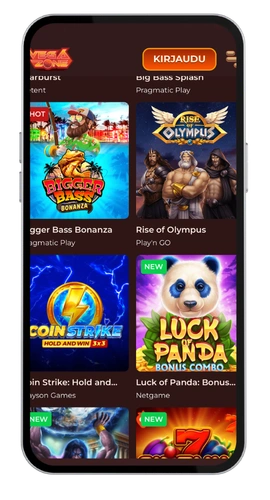
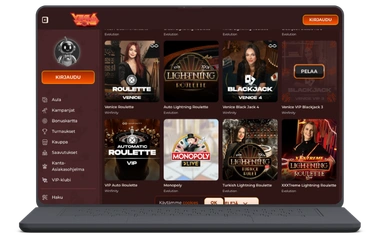
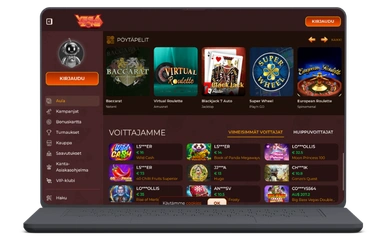
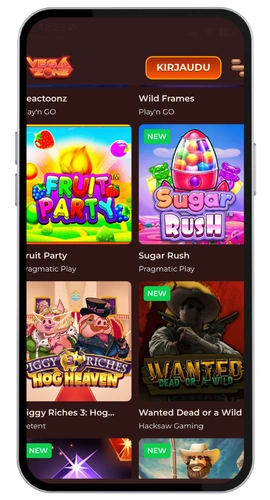
Get the VegaZone app and enjoy your welcome package.
We created the VegaZone casino app so you’re not forced to be chained to a PC or laptop to have a decent casino experience. Whether you’re on the train, on your lunch break, or just relaxing on the sofa, our mobile app brings over 7,000 games to your pocket. It’s quick, it’s intuitive, and it does the job.
Register via the app and you’ll be immediately eligible for our welcome offer: a 260% bonus up to A$4,200 and 260 free spins. For new Australians, that’s the perfect way to start. The VegaZone casino app download free of charge will take less than 60 seconds, and you’ll be ready before your coffee goes cold.
Key Features
The Vega Zone app isn’t just a cut-down version of our website. We made sure it has everything you’d get on desktop, adapted for mobile. So here’s what you’ll benefit from:
7,000+ games including slots, Live Casino, table games, jackpots, Crash, and game shows
Live Dealer Games using Evolution Gaming and other industry-leading software providers
Casino bonuses including cashback rewards, reload bonuses, and weekly specials
Safe banking using crypto, cards, and e-wallets
24/7 Priority Support through live chat and email
Works on Android, Web, and MacOS
Responsible Gambling options available in the account settings
Our game selection spans Pragmatic Play slot games to progressive jackpot slots with enormous prizes. The navigation is simple, the lobby loads swiftly, and cycling between categories is a breeze. We’ve also added Sports Betting, so if you want to bet on football while spinning slots, it’s a minute away from your gaming session.
Security is a priority for us. Our platform operates under a Curaçao GCB licence (number OGL/2024/589/0556), managed by GBL Solutions N.V. Your information and funds are safeguarded. Customer support is available 24/7 via live chat or at [email protected], ready to assist with any technical error or help you reload the page if needed.
VegaZone Casino APK (Android)
Getting the VegaZone app download for Android is straightforward. We don’t list it on Google Play, but you can get it directly from us. Here’s how to install it:
Go to the official Vega Zone Casino site on your Android device
Select the mobile download link and download the APK file
Navigate to your device settings and enable “Install from unknown sources”
Run the APK file and tap install
Open the app, sign in, and start playing
It’s a modest 45 MB in size, so it won’t eat into your phone’s memory. Installation takes under two minutes on most Android phones. Compatible with Android 6.0 and higher, it works on the vast majority of Australian handsets. Keep in mind there’s no automatic login, so you’ll need to sign in each time you open it.
VegaZone Casino App for Your iOS Device
If you’ve got an iPhone or an iPad, the process is equally painless. Simply open the App Store and follow these steps:
Launch the App Store app
Search for “VegaZone Casino”
Tap “Get”, then confirm with Face ID, Touch ID, or your Apple ID password
The installation completes in seconds, then log in and start playing
The iOS mobile app is polished, properly responsive, and works great on iPhones and iPads running iOS 13 or later. User experience has been given priority here. It feels native to your device, with no lag compared to the desktop version. Whether you’ve got an older SE or the latest model, it runs smoothly. You’ll also find a full selection of live casino games available right from the app, streamed in real time for an authentic experience.
VegaZone Casino Application for Windows and Mac OS
If you prefer playing from a computer, there’s no need to download anything. Visit the Vega Zone Casino website in your browser and you get the full experience in a clean interface. Use Chrome, Firefox, Safari, or Edge — whatever you prefer. Our site is optimised for all of them, so there’s no issue with speed or responsiveness.
The browser version is fully featured, covering every game, all payment options, and complete account management. MacOS users will feel right at home with Safari. No download needed, and it’s always up to date. Just log in via your mobile browser or desktop and start playing.
FAQ
Can I Trust the VegaZone App?
You can. We hold a Curaçao GCB operating licence, number OGL/2024/589/0556, issued to GBL Solutions N.V. We keep your data safe with encryption across the platform. The APK files come directly from us, not from some unofficial third-party source. If you’re ever in a restricted region or run into access issues for legal reasons, contact us via live chat and we’ll sort it out for you.
Is It Better to Play from the Mobile Browser or Download the App?
Both work well. The mobile browser version runs fine on Android and iOS, but the dedicated application is quicker and more responsive overall. At only 45 MB, it won’t impact your storage much. If you want the smoothest user experience, download the app. If you’d rather not install anything, the mobile browser version is a solid alternative that doesn’t compromise on game access or features.
What Payment Methods Work in the App?
All of them. Visa, Mastercard, bank transfer, Neosurf, Paysafecard, Revolut, e-wallets, and a full range of crypto including BTC, ETH, and USDT. Withdrawals use the same payment methods. Daily cashout limits depend on your VIP level and range between A$800 and A$4,800. Monthly limits can reach up to A$64,000. The more you play, the better your payment options and limits get through our VIP Program.
Can I Claim Bonuses Through the Mobile App?
Every promotion is accessible from the app. That includes the welcome package of A$4,200 plus 260 free spins, the weekend reload bonus, Cosmic Cashback, and the Sunday Funday offer. Just check the terms before you opt in, as wagering requirements and rollover requirements apply to all casino bonuses. You can find the full conditions in the promotions section of the app.
How Much Space Does the App Take?
Only 45 MB. That’s a lean install, and that’s intentional. We didn’t want to take up half your phone with a bloated application. The app streams all games directly, so there’s no additional content downloading in the background. Whether you’re on an older Android or a newer iPhone, you won’t notice it sitting on your device at all.
What Should I Do If I Get a Technical Error in the App?
First thing to try is to reload the page or restart the app entirely. That clears most issues on the spot. If the problem sticks around, reach out via live chat or email us at [email protected] and we’ll get onto it. If the app is completely unresponsive, switch to the browser version in the meantime. Our support team is available around the clock, so don’t hesitate to contact us.
Will I Get a VIP Manager Through the App?
Absolutely. Once you reach VIP status, you get a dedicated VIP Manager who can assist with bonus queries, account matters, and faster withdrawals. Our VIP casino rewards include higher cashout limits, exclusive deals, and 24/7 Priority Support. The VIP Program is tiered, so the higher you climb, the better the perks. It’s well worth aiming for the top levels if you’re a regular player.